
Top free online mind maps for studying work best when they reduce your “blank page” moment, keep your notes connected, and don’t make sharing a headache right before an exam. The tricky part is that “free” means very different things across tools: some cap exports, some limit boards, and some hide the good study-friendly features behind paid tiers.
If you’re studying in the U.S. in 2026, you’re probably juggling Google Drive, Canvas, group projects, and at least one device that’s not your laptop. So the right mind map tool isn’t just about pretty branches, it’s about fast capture, easy review, and collaboration that doesn’t break at midnight.

This guide narrows down the most practical options, shows what to check before you commit your semester notes, and gives a simple workflow you can copy for any class. I’ll also call out common “free plan” traps, because switching tools mid-term is the worst.
How to pick a free online mind map for studying (without overthinking it)
Before you compare brand names, decide what your study life needs. Most students fall into one of these buckets, and each bucket changes what “best” means.
- Solo heavy note-taking: fast keyboard shortcuts, clean outline view, reliable exports.
- Group studying: real-time collaboration, comments, permissions, version history.
- Memorization + review: easy re-organization, tags, search, and a way to turn maps into flashcards or checklists.
- Multi-device: web app that behaves well on Chromebook/iPad, plus decent mobile capture.
According to Microsoft Support, OneDrive and Office apps are designed for file access and sharing across devices, which matters if your mind maps live inside that ecosystem rather than as one-off exports. In practice, the closer a tool sits to the storage and apps you already use, the less friction you’ll feel every day.
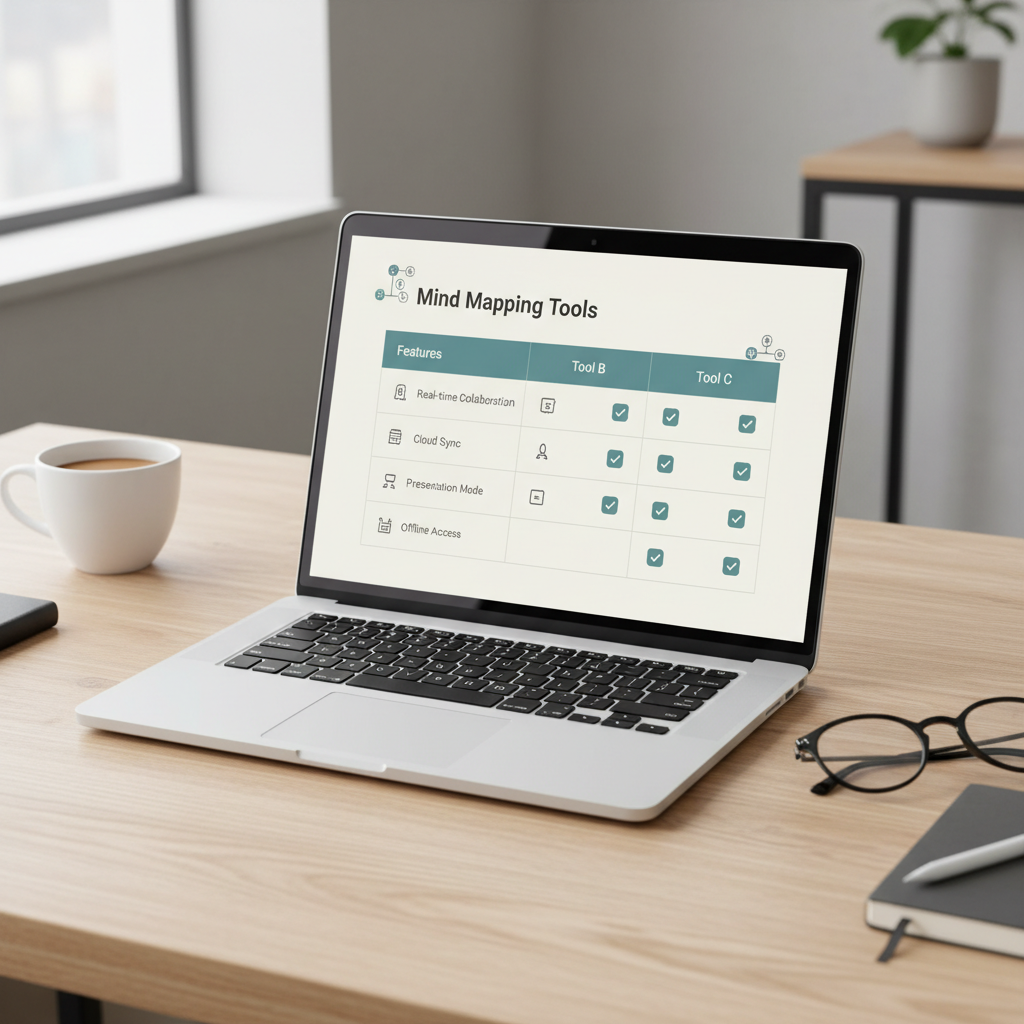
Quick comparison table: top free tools (what “free” really gives you)
This table focuses on study-relevant differences. Free tiers change, so treat it as a starting point and double-check the current plan page before you move a whole class into one platform.
| Tool | Best for | Why students like it | Typical free-plan limits to watch |
|---|---|---|---|
| Google Drawings | Simple maps in Google Drive | Easy sharing, no new account, works anywhere | Manual layout, fewer mind-map features |
| Canva | Pretty visuals + presentations | Templates, easy export, good for project summaries | Some templates/assets limited, can get “designy” |
| diagrams.net (draw.io) | Structured diagrams + mind maps | Free, strong file control, works with Drive | Not purpose-built for studying workflows |
| Miro | Collaborative study boards | Real-time teamwork, sticky-note brainstorming | Board limits on free, may push upgrades |
| Coggle | Fast, clean mind maps | Low learning curve, good for outlines | Private diagram limits (varies by plan) |
| XMind (web/desktop options) | Mind-map-first experience | Strong mapping feel, good structure options | Export/watermark limits sometimes apply |
| MindMup | Google-integrated mapping | Simple, works well with Drive workflows | Saving/export limits can show up on free |
Top picks in 2026: what each option is actually good at
Here’s the honest version: “top free online mind maps for studying” isn’t one winner, it’s a shortlist based on your constraints. Use these quick profiles to match a tool to a class or study style.
Google Drawings (best ‘no friction’ option for Google users)
If your school runs on Google Workspace, Google Drawings is the path of least resistance. It’s not a dedicated mind map app, but for many students that’s fine: the sharing is effortless, and you can keep everything in the same Drive folder as your lecture notes.
- Use it when: you want simple concept maps, you’re collaborating, or you need a link your professor can open instantly.
- Skip it when: you need advanced features like folding branches, quick reordering, or built-in study tasks.
Canva (best for “make it understandable in 60 seconds”)
Canva shines when your mind map is also a deliverable: a one-page study sheet, a project overview, or a presentation slide. Templates help, but they can also distract, so set a time limit for styling.
- Use it when: you’re turning a chapter into a visual summary before an exam.
- Watch for: getting stuck picking fonts instead of learning the material.
diagrams.net (draw.io) (best for “I want control over files”)
diagrams.net is a quietly powerful choice if you care about owning your files. It’s also great if your “mind map” crosses into flowcharts, lab process diagrams, or systems thinking.
- Use it when: your class needs diagrams plus mapping, especially STEM or business process topics.
- Watch for: slightly more setup time than mind-map-first tools.
Miro (best for real group study sessions)
Miro is where mind maps meet whiteboards. It’s strong for group brainstorming, discussion-based classes, and study groups that want sticky notes, voting, and a shared space.
- Use it when: your group actually meets and builds one shared map together.
- Watch for: free board limits and clutter over time if nobody curates the board.
Coggle (best “open and start mapping” tool)
Coggle tends to feel immediate: type, branch, keep going. If your main problem is starting, this style helps you capture ideas fast and tidy them later.
- Use it when: you like simple, readable maps for lectures and chapters.
- Watch for: privacy limits on the free tier depending on the current plan.
XMind (best mind-map-first feel, but check exports)
XMind is popular because it feels like a “real” mind mapping environment, especially if you like structured layouts. The tradeoff is that some export formats or watermark-free outputs may depend on plan details.
- Use it when: you want clean structure for big topics like biology systems or constitutional law.
- Watch for: whether the free plan covers the export you need for printing or submitting.
A simple self-checklist: which tool fits your next class?
If you’re stuck deciding, answer these fast. Your “yes” answers usually point to the right tool category.
- Do you need real-time group editing? If yes, start with Miro or a Google-based option.
- Do you need to print clean one-page reviews? Canva or a tool with reliable PDF export often works better.
- Do you hate fiddling with alignment? Pick a mind-map-first tool like Coggle/XMind instead of a general canvas.
- Are you submitting diagrams for STEM labs? diagrams.net usually covers more “diagram types” in one place.
- Will you switch devices constantly? Favor web apps that feel stable on Chrome and mobile.
One more gut-check: if you’ve tried mind mapping before and quit, the issue is often not the tool, it’s that your maps were too big. Start with one chapter or one lecture, not the whole course.
Study workflow: how to turn a mind map into higher test scores (not just a pretty picture)
This is the part most guides skip. A map helps only if you use it for retrieval and review, not as decoration. Here’s a workflow that fits most free tools.
Step 1: Build a “spine” in 5 minutes
- Center topic = the lecture/chapter title.
- First branches = 4–7 major headings.
- Second branches = definitions, formulas, key cases, or “why it matters.”
Step 2: Add cues that force recall
- Turn passive notes into questions: “What causes X?” “How is A different from B?”
- Mark “high-yield” nodes with a tag like EXAM or a color.
- Add one example per major concept, not five.
According to APA (American Psychological Association), strategies that emphasize active recall and spaced practice are commonly recommended for learning and memory support. Your mind map can become a recall tool if you convert branches into prompts you can test yourself on.
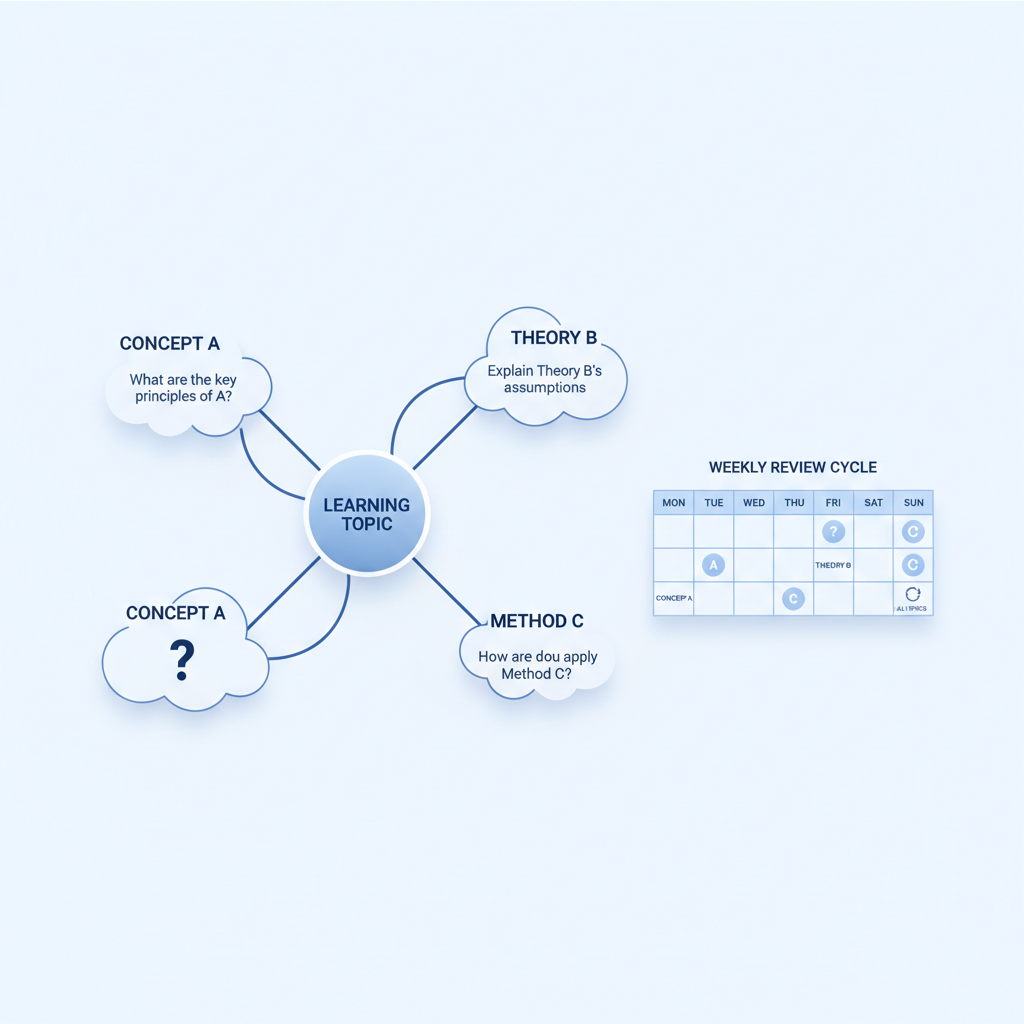
Step 3: Review in short loops (spaced)
- Same day: 3-minute scan, hide/collapse branches if your tool supports it.
- 48 hours: answer your own questions without looking, then check.
- One week: rebuild one branch from memory, compare, fix gaps.
Step 4: Export or share only when it helps
Exports are useful for printing and submission, but don’t make exporting the goal. Many free plans limit export formats, so sharing a link (Drive, Miro board, etc.) can be simpler for group studying.
Common mistakes with free mind mapping tools (and what to do instead)
- Making one “mega map” for the whole semester: it becomes unreviewable. Make one map per lecture or per chapter, then create a separate “unit overview” map.
- Copying the textbook structure exactly: that often turns into rewriting. Instead, map relationships: cause/effect, compare/contrast, process steps.
- Over-formatting: color can signal priority, but too many colors add noise. Use 2–3 max.
- Ignoring limits until finals week: check whether your free plan caps private boards, exports, or collaborators.
- Never testing yourself: a map you only read is still passive. Add questions and do quick rebuilds from memory.
When to get extra help (accessibility, focus, and learning needs)
If mind mapping keeps falling apart because you can’t stay organized, you’re not alone, but it may signal a workflow issue or a support need. If you rely on accessibility features like screen readers, keyboard-only navigation, or high-contrast modes, it’s worth checking each tool’s accessibility documentation before committing your coursework.
If attention, anxiety, or other health factors are affecting studying, tools alone may not solve it. In many cases it helps to talk with your school’s academic support center, disability services office, or a qualified professional for guidance that fits your situation.
Key takeaways (so you can choose today)
- Pick based on your workflow, not feature lists: solo notes, group boards, or printable summaries.
- For Google-heavy campuses, Google Drawings or Drive-integrated tools reduce friction.
- For collaboration, Miro is strong, but confirm free board limits early.
- For quick, clean mapping, Coggle-style tools keep you moving.
- The map becomes powerful when you add recall questions and review in short loops.
Conclusion: the “best” free mind map is the one you’ll review
Most students searching for top free online mind maps for studying don’t need the most advanced app, they need a tool that stays out of the way and supports repeat review. Pick one option that matches how you already work, create one small map this week, and run the 48-hour recall check. If it helps you catch gaps faster, keep it; if it turns into formatting, switch.
If you want a low-risk next step, choose one upcoming lecture, build a 5-minute spine, add five recall questions, and share it with one classmate for a quick sanity check.
FAQ
What are the top free online mind maps for studying if I use a Chromebook?
Web-first options are usually the safest on Chromebooks: Google Drawings, Canva, diagrams.net, Coggle, and Miro all run in the browser. The deciding factor is whether you need collaboration (Miro) or simple Drive sharing (Google tools).
Which free mind mapping tool is best for group studying in college?
If your group edits live at the same time, a collaborative whiteboard like Miro tends to feel natural. If your group mostly reviews and comments, a Drive-based link with a simpler map can be easier to manage.
How do I know if a “free” plan will block me later?
Check three things up front: limits on private boards, export formats (PDF/PNG), and collaborator counts. If any of those are tight, plan to share links instead of exporting, or keep maps smaller and split by unit.
Are mind maps actually good for exam prep?
They can be, especially for understanding relationships and building big-picture structure. They’re less effective if you only reread them, so add recall prompts and do short rebuilds from memory to make them an active study tool.
What’s better for studying: mind maps or outlines?
Outlines are great for linear material and writing-heavy classes, while mind maps help when topics connect across chapters. Many students end up using both: map for structure, outline for details.
Can I turn a mind map into flashcards for free?
Sometimes, but it depends on exports and integrations. A reliable free approach is manual: write question-style nodes in your map, then copy those questions into a flashcard app or a simple doc.
Is it safe to store class notes in free online tools?
For most class content it’s fine, but avoid storing sensitive personal data. If your notes include accommodations paperwork or personal details, it’s smarter to use school-approved storage or consult campus IT guidance.
What should I do if mind mapping makes me procrastinate?
Set a “mapping timer” (10–15 minutes), cap colors to two, and ban layout tweaks until after you’ve written recall questions. If you still spiral into design, a plainer tool like Google Drawings or Coggle-style mapping can reduce temptation.
If you’re trying to choose among the top free online mind maps for studying and want a more hands-off setup, it may help to start from a ready-made study template and a checklist that keeps your maps reviewable, especially when you’re managing multiple classes at once.